How to Fulfill Orders on Shopify: A Complete Guide
Table of Contents
- Key Takeaways
- Understanding the 3 Types of Shopify Order Fulfillment
- How to Fulfill an Order on Shopify Manually
- How to Fulfill Multiple Shopify Orders at Once
- Key Shopify Settings to Configure Before You Ship
- The Hidden Challenges of Shopify Fulfillment in Canada
- How to Simplify & Automate Shopify Fulfillment with Stallion
- Frequently Asked Questions
- Final Thoughts
Fulfillment is one of the most repetitive parts of running a Shopify store. But it is also one of the easiest places to lose time and money if you don't set it up properly. So, how to fulfill orders on Shopify the right way?
This guide will answer that question. We will also cover Shopify's fulfillment options, how to fulfill them manually, and the settings to configure before you ship.
Key Takeaways
- Shopify supports three fulfillment methods: manual, automatic, and third-party. Most growing Canadian sellers eventually move away from fully manual fulfillment.
- Manually fulfilling an order takes five steps. 1. Locate the order. 2. Review the details. 3. Mark it fulfilled. 4. Add tracking. 5. Notify the customer.
- Set up fulfillment locations, shipping zones, and packing slips correctly before orders start coming in, not after.
- Canadian sellers face specific fulfillment challenges that US-based guides rarely mention. They experience high Canada Post rates, complicated cross-border shipping, and the time cost of manual data entry.
Understanding the 3 Types of Shopify Order Fulfillment
Every order placed on a Shopify store needs to be fulfilled before it reaches the customer. The process includes picking the product, packing it, and attaching a shipping label. Shopify gives sellers three ways to handle this process.
Manual Fulfillment
With manual fulfillment, the seller handles every step themselves. The seller reviews orders one at a time in the Shopify admin. Then, they pack each order by hand. Once done, they mark them as fulfilled after creating a label.
It's straightforward and works fine for low order volumes. However, as the order volume increases, this process becomes time-consuming.
Automatic Fulfillment
Automatic order fulfillment uses apps or built-in Shopify features to fulfill orders without manual review. Sellers can set rules based on a specific product, shipping method, or location. That said, when an order comes in, they can automatically fulfill and label it. This reduces the daily workload but still requires the seller to manage inventory and packing.
Third-Party Fulfillment
Third-party fulfillment service (or 3PL fulfillment) hands the entire process to an outside company. The seller sends inventory to the 3PL's warehouse. Then, the 3PL completes the rest of the fulfillment. They will pick, pack, ship, and update Shopify with tracking information.
This is the most hands-off option and the one most sellers move to when order volume becomes too much to manage alone.
| Method | Best For | Who Does the Work | Time Cost |
| Manual | Low order volumes | The seller | High |
| Automatic | Growing stores with predictable rules | The seller, with apps handling repetitive tasks | Medium |
| Third-party (3PL) | High order volumes or sellers who want fulfillment off their plate | An outside fulfillment company | Low |
Read More: Shopify International Shipping: A Canadian Seller's Guide
How to Fulfill an Order on Shopify Manually
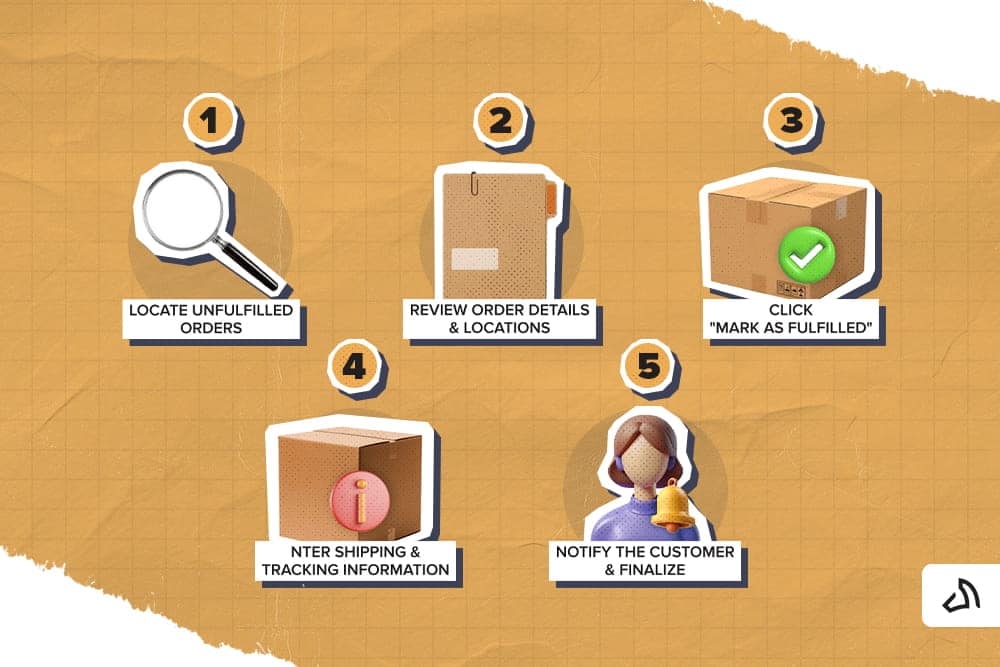
If you are fulfilling orders yourself, here is the process from start to finish:
- Locate Unfulfilled Orders. From the Shopify admin, go to Orders and filter by "Unfulfilled." This shows every order waiting for you to pack and ship.
- Review Order Details & Locations. Once an order comes in, open it and check the items, quantities, and shipping address. If you have more than one fulfillment location, confirm which location has the stock to fulfill the order.
- Click "Fulfill items". After packing the order, click the "Fulfill items" button on the order page. If you have multiple locations, click the one fulfilling the order.
- Enter Shipping & Tracking Information. Add the carrier name and tracking number. If you already have a label, you can link the shipment to a trackable number that the customer can follow.
- Notify the Customer & Finalize. Shopify lets you send a shipping confirmation email with tracking details. Confirm that you have reviewed this before finalizing, then save the fulfillment.
How to Fulfill Multiple Shopify Orders at Once
For stores handling more than a handful of orders a day, fulfilling them one by one is slow. Shopify supports bulk fulfillment directly from the Orders page.
- Filter by "Unfulfilled."
- Select the checkboxes next to the orders you want to process.
- Use the bulk actions bar that appears at the top of the page.
- Choose "Fulfill items" to mark them all as fulfilled at once.
Bulk fulfillment works best when orders share the same fulfillment location and don't require manual tracking numbers. Shopify needs to know which location is fulfilling each order and can't always batch across them cleanly. So, it breaks down when a store has multiple locations.
It also doesn't work for partial fulfillment, where an order has items shipping at different times or from different locations. You have to handle those orders individually instead.
Key Shopify Settings to Configure Before You Ship
A few settings must be in place for fulfillment to run smoothly. Here are the ones you need to check first to avoid mistakes once order volume picks up:
Fulfillment Locations
Every Shopify store has at least one fulfillment location. Let's say you store inventory in more than one place, like a warehouse, a storefront, or a 3PL. Add each location and assign the correct stock levels in Shopify settings under Locations.
Shipping Zones & Profiles
Shipping zones define where you ship to and what rates apply. Meanwhile, shipping profiles let you assign different rates or carriers to different products or locations. This setup determines what customers see at checkout and what it costs you to fulfill the order. If you're shipping across provinces and into the US, it can take the guesswork out of the equation.
Packing Slips
Packing slips list what should be inside the order for the person packing it. Shopify includes a default packing slip template to speed up processing. If you want to customize it to include your branding or special handling notes, you can also do so. It is especially useful once you bring on staff or move to a 3PL. It keeps the packing process consistent.
The Hidden Challenges of Shopify Fulfillment in Canada

Most written Shopify fulfillment guides assume US sellers. However, Canadian sellers run into a different set of problems, such as:
The "Canada Post Sticker Shock"
The issue isn't Canada Post as a carrier. It's the retail rates most sellers pay. Standard Canada Post postage is often higher than comparable carriers. This gap becomes obvious the first time a seller compares invoices. For stores shipping regularly, this cost adds up fast and eats into margins.
Additionally, the rates themselves aren't fixed. Sellers shipping through a platform like Stallion get discounts on Canada Post postage plus access to other Canadian carriers.
Cross-Border Complexity
Customs forms, duties, and brokerage fees are among the factors that make cross-border shipping a bit complicated. If you're an inexperienced seller, this can be overwhelming.
One wrong document can trigger a domino effect that puts your brand's reputation in a bad light. It leads to support tickets that take time to resolve, delayed packages, and unexpected charges for customers.
Manual Data Entry Fatigue
Entering tracking numbers, customs information, and order details individually can take up so much time and can cause a lot of errors. As your business scales up, this manual workflow becomes one of the biggest time drains for a small team.
How to Simplify & Automate Shopify Fulfillment with Stallion
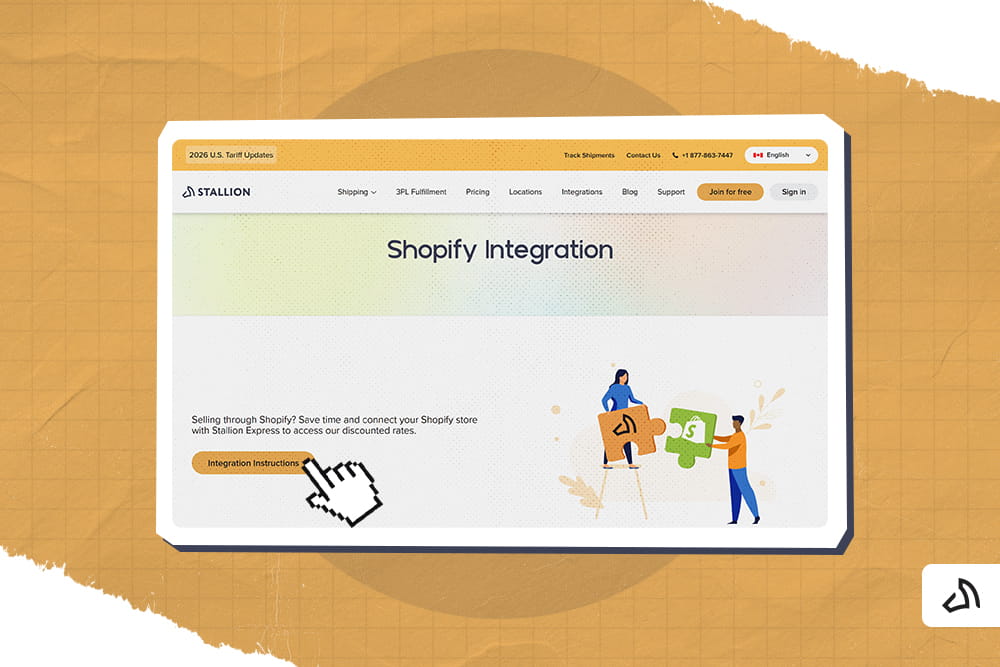
While these problems do exist, Stallion is here to help resolve them. Here's how it works:
Connect Your Shopify Store
Stallion connects directly to Shopify. You can pull in orders without any manual export or upload. Orders sync automatically, so you don't need to copy information between systems.
Drastically Cheaper Shipping Rates
Stallion gives Canadian sellers access to discounted shipping rates, which closed the gap created by standard carrier pricing.
- Up to 50% off for shipping within Canada
- Up to 75% off for shipping from Canada to the US
- Up to 85% off for shipping outside Canada and the US
Automated Tracking Write-Back
After creating a label, the system automatically writes the tracking information back to Shopify. This removes the manual data entry step and keeps order statuses accurate without extra work.
Hands-Off 3PL Fulfillment
For sellers who want fulfillment fully off their plate, Stallion also offers 3PL fulfillment. Stallion stores and ships inventory from its warehouse. Our team picks, packs, and ships orders without the seller touching a single package.
Stallion operates over 250,000 square feet of owned warehouse space in Ontario, processes orders within 24 hours, and maintains 99.99% picking accuracy. Sellers get a dedicated account manager, and long-term contracts don't lock you in.
Frequently Asked Questions
Can you fulfill Shopify orders in bulk?
Yes. Shopify lets you bulk-fulfill orders. Select multiple unfulfilled orders on the Orders page and use the bulk action menu to mark them as fulfilled at once. This works well for orders shipping from the same location with the same carrier. However, you still need to add tracking numbers for each shipment.
What does unfulfilled mean on Shopify?
An unfulfilled order has been placed and paid for but hasn't been packed, labelled, or shipped yet. Shopify flags these orders separately from fulfilled ones. This makes it easier for sellers to see which orders still need action before they can be closed out.
Can you undo or cancel a fulfillment on Shopify?
Yes. From the order page, sellers can select the fulfilled shipment and choose to cancel it. This reverts the order to unfulfilled status. It is useful if you marked a shipment as fulfilled by mistake. Or if you entered a tracking number incorrectly and you need to correct it.
Do you need an app to fulfill Shopify orders?
No, Shopify includes fulfillment tools in the admin. You can fulfill orders manually without installing anything. Apps help automate the process, connect to a 3PL, or pull in discounted shipping rates. However, Shopify does not require you to use them for basic order fulfillment.
How long should Shopify fulfillment take?
Fulfillment time depends on the method used and the seller's processing speed. However, most orders should move from unfulfilled to shipped within one to two business days. Delays beyond this window often signal a bottleneck in inventory checks, staffing, or manual data entry that is worth addressing.
Final Thoughts
Shopify gives sellers tools to fulfill orders manually, automatically, or through a third party. However, the right choice depends on order volume and how much time you want to spend on workflow. Canadian sellers, in particular, face challenges unique to the country.
Connecting Shopify to a platform like Stallion removes the manual work and lowers shipping costs. More importantly, it gives sellers back the time they would otherwise spend on labels and tracking numbers.
Ready to simplify your fulfillment? Sign up now, connect your Shopify store to Stallion, and start shipping for less today.