Shipping to Canada
Save up to 50%

Shipping to the U.S.
Save up to 75%

Shipping Internationally
Save up to 85%

Same Day Delivery
Across the GTA

Returns
Lowest rate on the market
When we talk about shipping software, it's always Shopify Shipping vs ShipStation. Both can print your labels and get your packages out the door. But one is better suited to a specific kind of business.
This guide breaks down how each one works, their pros and cons, and what to do about the shipping costs that neither one can fix on its own.
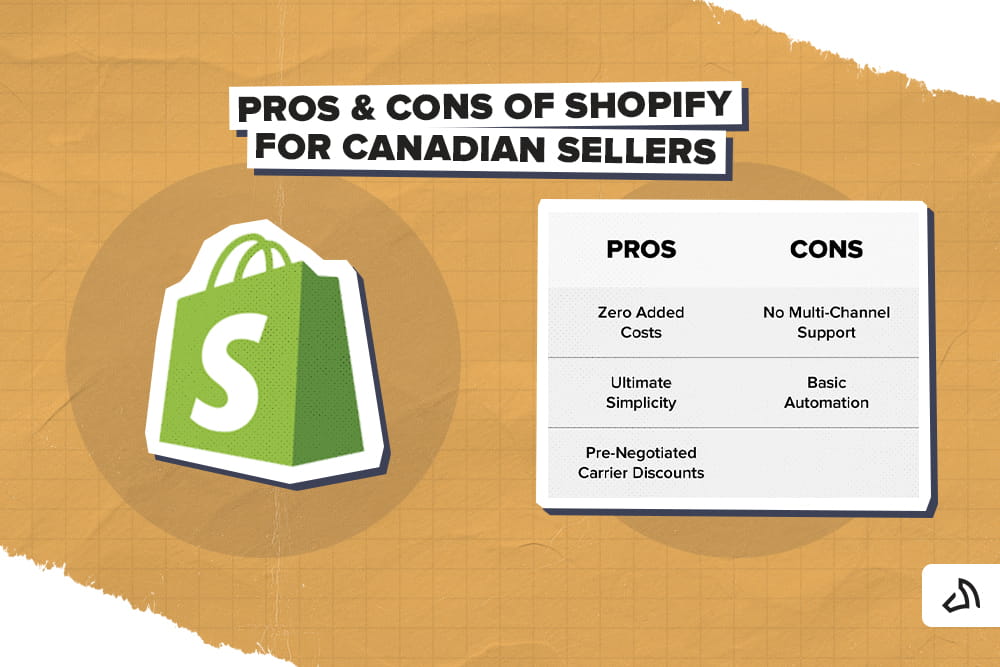
Shopify Shipping is a tool built within your Shopify admin. It lets you buy shipping labels, compare carrier rates, and print packing slips, all from the same dashboard where you manage your store and orders. There is no separate account to set up and no extra software to learn. If you sell through Shopify, the tool is already there waiting for you.
Related Post: Wix vs Shopify: Which Suits Your Business the Best
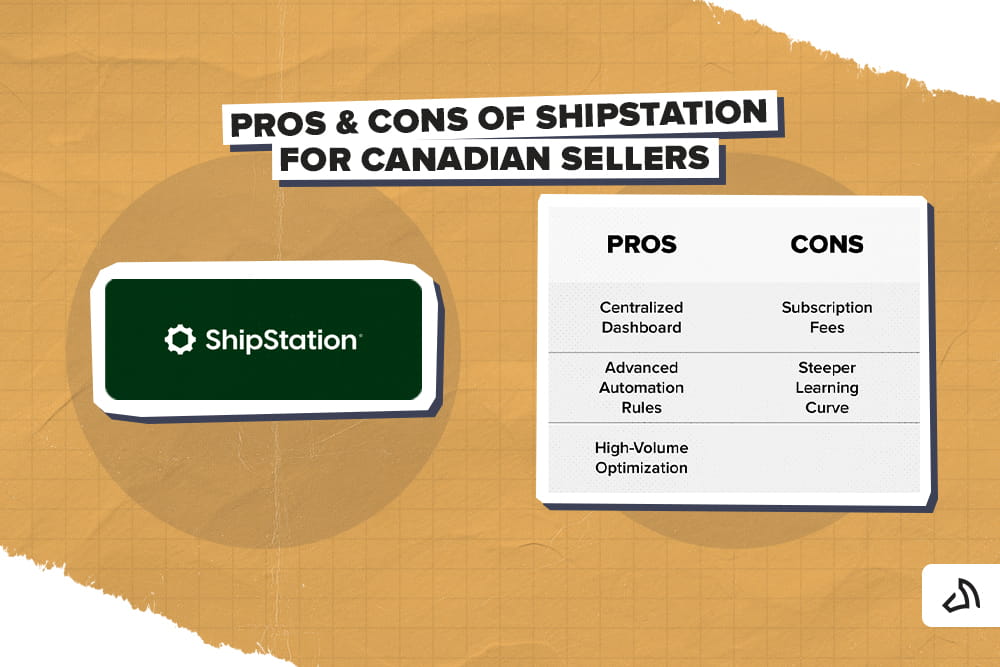
ShipStation is a standalone shipping management platform built for sellers who list products across multiple marketplaces. It connects to Shopify via a dedicated Shopify app, as well as Amazon, eBay, Etsy, and dozens of other sales channels. Sellers can easily pull every order into a single dashboard so they are not logging into five different systems to fulfill their day.
For integrations, see: ShipStation Integration
Here's a head-to-head comparison when using Shopify Shipping and ShipStation.
| Feature | Shopify Shipping | ShipStation |
| Monthly Pricing | Free (Included in Shopify Subscription) | Paid Plans (Tiered based on order volume) |
| Setup Time | Instant/No integration needed | Moderate/Requires syncing accounts |
| Multi-Channel Selling | No (Shopify ecosystem only) | Yes (Syncs Amazon, eBay, Etsy, etc.) |
| Automation Rules | Limited/Basic presets | Advanced/Highly customizable |

As mentioned, both platforms make it easier to print labels and manage orders. There's no doubt about that. However, neither platform addresses the actual cost of delivering a package.
And that distinction matters more in Canada than it does elsewhere. The country is so large that it creates expenses no shipping software can negotiate away.
Here's why:
Canada's shipping landscape differs from that of the United States. Compared to the US, Canada's land area is much larger, but its population is significantly smaller and more spread out. That makes domestic shipping more expensive. Plus, deliveries to rural or remote areas can take longer, even with a top carrier.
The reality is, software can help you manage this more efficiently. But it cannot change this fact.
Many Canadian sellers rely on suppliers or fulfillment centres in the US. Others ship products to customers south of the border. International shipping through carriers like UPS and DHL Express brings customs forms, duties, and the risk of border delays.
Shipping software can print the label and generate the commercial invoice. But it has no control over what happens once that package reaches customs.
Important Note: Software such as Shopify Shipping and ShipStation affects how you print your labels. However, it doesn't change the underlying physical logistics network or eliminate the high baseline fees of Canadian domestic mail.
With the pros, cons, and comparison out of the way, here's the real question. Which option makes sense for your store? The answer depends less on which tool has more features. It's more about how you sell. Here's how to match your business to the right stack.
Let's say you're running a smaller store and selling exclusively through Shopify. That said, it's best to stick with Shopify Shipping. You will still get the shipping discounts that you need and print shipping labels within the ecosystem, without added software cost.
There is no reason for you to pay for a multi-channel tool when you only have one channel to manage.
If you sell across more than one platform or process a high volume of daily orders, ShipStation might be a better fit. Yes, the subscription fee is a hiccup. But time is money, and the centralized dashboard and automation rules will save you far more time. At scale, the ability to manage every channel from one screen becomes worth the investment.
Whichever scenario fits your current business situation, revisit this decision as you grow.
Read More: Shopify International Shipping: A Canadian Seller's Guide
Shopify automatically calculates the taxes when you buy Canada Post or UPS labels through the platform. The amount will depend on the label's destination or origin province. It will appear on your consolidated Shopify billing statement as separate line items. You can track them as Input Tax Credits (ITCs).
Meanwhile, the tax billing with ShipStation depends on the carrier setup. If you connect your own carrier accounts, taxes are billed on your monthly carrier invoices. But if you buy labels through ShipStation's carrier accounts, you will see the taxes on your ShipStation account balance.
Shopify Shipping uses your store's built-in inventory location settings. From this, it determines where an order ships from, based on the priorities you set in advance. ShipStation, on the other hand, offers more flexibility. It pulls in multi-location order data and lets you build automation rules to route orders to specific warehouses based on weight, postal code, stock level, or SKU.
Yes. ShipStation has built-in warehouse features, including barcode "scan-to-verify" or "scan-to-ship" mode. This tool allows warehouse staff to scan a packing slip barcode to verify items before automatically printing the label. As a result, it minimizes packing errors in high-volume environments.
Both platforms support paperless customs. This means your commercial invoice gets sent electronically to border agencies instead of using physical paperwork. However, ShipStation goes a step further. It lets sellers save default customs declarations, pre-assign HS codes to products across all sales channels, and specify whether the buyer or seller pays duties separately for each carrier.
Shopify Shipping handles pickups natively. Staff can mark an order "Ready for Pickup" right in the admin without it ever entering the shipping workflow. ShipStation, on the other hand, pulls in all store orders by default, including local pickups. So, sellers need to set automation rules to tag or filter those out. Otherwise, you risk accidentally creating a shipping label for an order that was never meant to ship.
Shopify Shipping and ShipStation solve different problems. One is simpler and already built within the Shopify ecosystem. The other is for sellers juggling multiple sales channels. Choosing between them comes down to how you sell, not just how you ship.
But whichever platform fits your business, remember that the software is only half of the equation. Pairing it with a fulfillment partner built for the Canadian market is what actually brings your shipping costs down.
Speaking of a fulfillment partner, Stallion offers order fulfillment and shipping services built specifically for Canadian sellers. We can integrate directly with both Shopify and ShipStation. So, you do not have to change your existing workflow to start saving.
Once connected, Stallion works alongside whichever platform you already use. We can give you access to a fulfillment and shipping network built specifically around the challenges Canadian sellers face.
Our shipping solution combines volume shipping discounts with a fulfillment network perfect for online businesses. This helps sellers reduce high domestic and cross-border shipping rates that neither platform can address on its own.
You don't have to pay retail carrier rates. Instead, get access to negotiated pricing built for scale.
Stallion can connect directly to your existing Shopify or ShipStation setup. There is no need to build your process from scratch. Orders continue to flow the way they have.
The only difference?
It's what is happening behind the scenes. Your shipping costs come down without adding complexity to your day.
Apart from these, Stallion offers great features with Canadian sellers in mind, such as:
Ready to see how much you could save? Connect Stallion to your store today and start shipping smarter.

Aman looks after the content marketing department at Stallion Express. He is passionate about helping businesses grow by providing informative and up-to-date trends in the eCommerce industry. Outside the office, you can find him on the soccer field cheering on Real Madrid.
Can our fellow Torontonians relate?
-
#smallbusiness #business #entrepreneur #socialmedia #shipping #ecommerce #canadianecommerce #shopify #poshmark #b2b #saas #etsy #ebay #canada #canadiansmallbusiness #shoplocalcanada #entrepreneur
#toronto

Here’s your quick hassle free shipping from 🇨🇦 to 🇺🇸 as a business owner!
-
Any questions?! Leave them 👇🏻 and save this video so you don’t forget!
-
#smallbusiness #business #entrepreneur #socialmedia #shipping #ecommerce #canadianecommerce #shopify #poshmark #b2b #saas #etsy #ebay #canada #canadiansmallbusiness #shoplocalcanada #entrepreneur
Meet @drinkbenny a 🇨🇦 female founded energy drink brand! Instead of focusing on their products, they’re taking a unique approach by hosting in person events in different Canadian cities to offer an experience for their community 🧡
-
What are your thoughts on in person events? 💭
-
#smallbusiness #business #entrepreneur #socialmedia #shipping #ecommerce #canadianecommerce #shopify #poshmark #b2b #saas #etsy #ebay #canada #canadiansmallbusiness #shoplocalcanada #entrepreneur
Do you know the difference between DDU and DDP when shipping internationally 🌏 ?
-
Questions? Leave them below! 👇🏻
-
#smallbusiness #business #entrepreneur #socialmedia #shipping #ecommerce #canadianecommerce #shopify #poshmark #b2b #saas #etsy #ebay #canada #canadiansmallbusiness #shoplocalcanada #entrepreneur
Here’s a quick hack to save time from choosing multiple postage options
↪️ Turn on the lowest postage rate automation to save you time!
-
Questions? Leave them below! 👇🏻
-
#smallbusiness #business #entrepreneur #socialmedia #shipping #ecommerce #canadianecommerce #shopify #poshmark #b2b #saas #etsy #ebay #canada #canadiansmallbusiness #shoplocalcanada #entrepreneur